What’s New

Keep up with the latest releases, improvements, and fixes.

See what’s planned

NodumForms on your phone

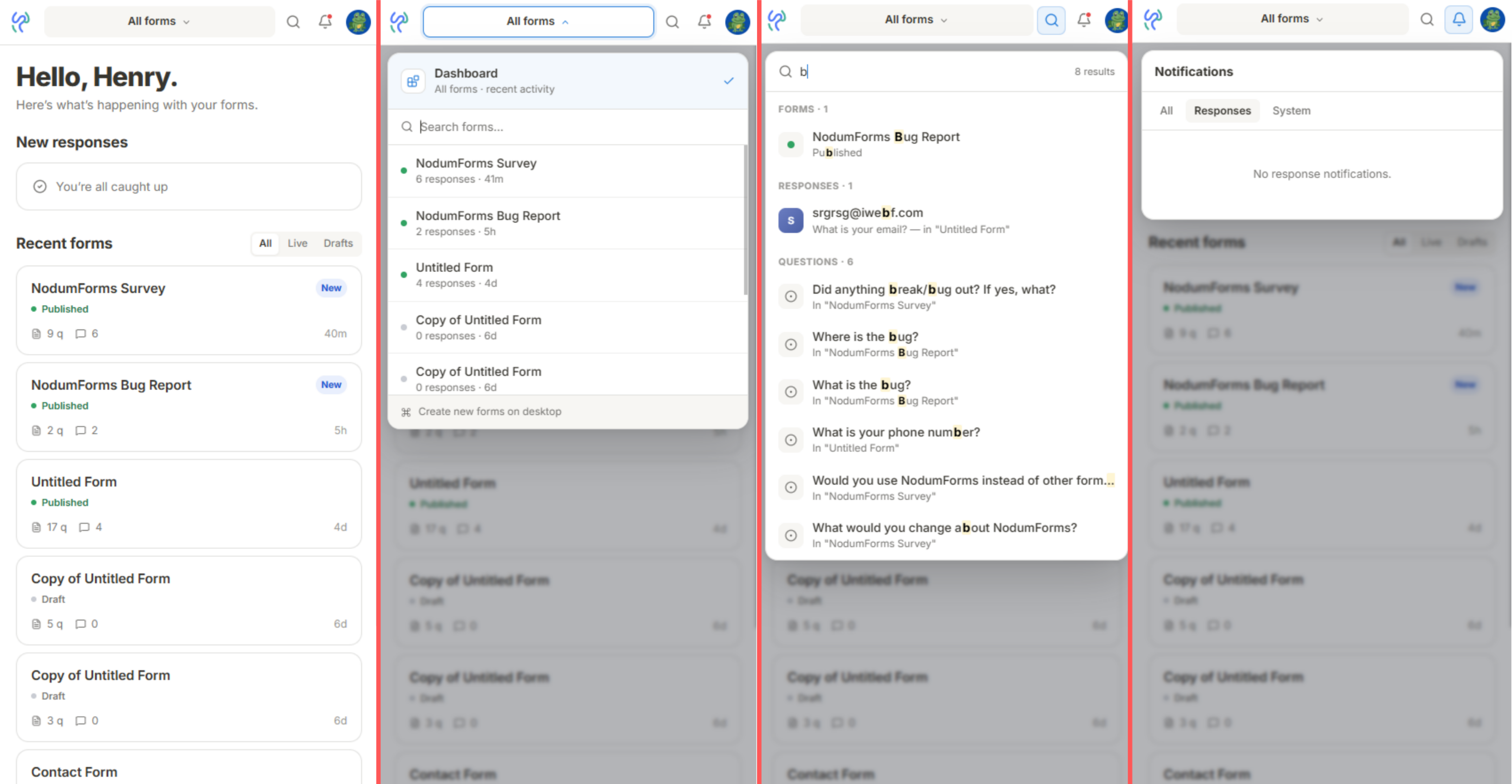
Phone-frame screenshot of the new mobile dashboard: sticky topbar (brand → form picker → search → bell → avatar), a “New responses” preview card up top, and a “Recent forms” list with All / Live / Drafts tabs below.

The hamburger drawer is out. A sleek sticky topbar takes its place — brand mark, form picker, search, bell, avatar — with overlays that drop down right where you'd expect them.

The dashboard has a new mobile home with a fresh responses preview and your recent forms filtered by All, Live, or Drafts. Summary, Individual, and Table views all work natively now — no more “open on desktop” warnings.

Building a form still needs desktop. Squeezing a block menu onto a phone is next on the list.

A cleaner builder layout

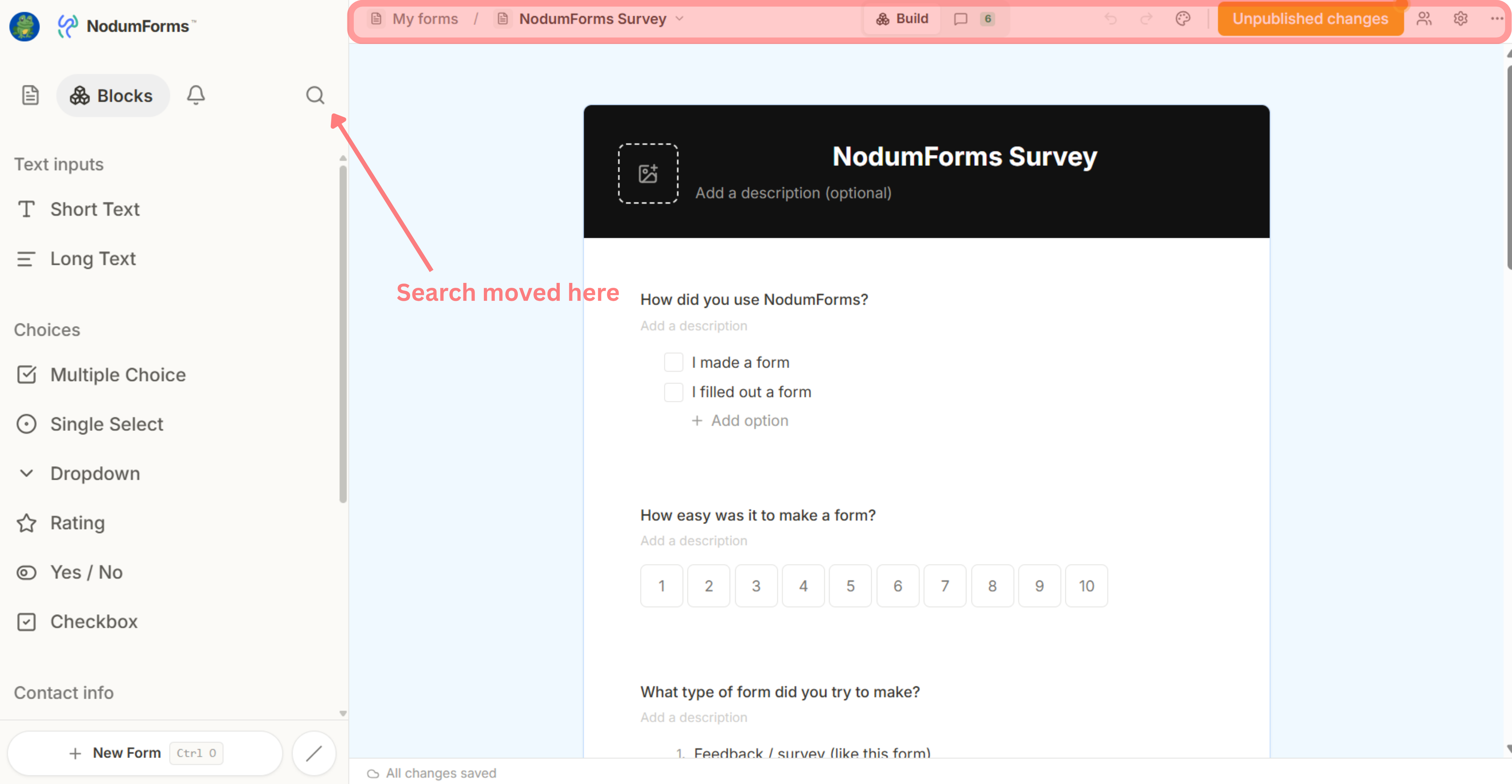
Builder with the redesigned chrome: slim topbar showing avatar + NodumForms logo on the left, breadcrumb (My forms / form name with a dropdown chevron), a centred Build pill with a comments count, then undo / redo / style / Published button / collaborators / settings / more on the right. Left sidebar shows the new Blocks / Notifications / Search tabs and the block library grouped by category, with “+ New Form” pinned to the bottom.

The whole builder chrome got a tidy-up. The topbar is slim and purposeful — breadcrumb on the left, a Build pill in the middle (with a live comments count), and everything you actually act on (undo / redo / style / Published / collaborators / settings) on the right.

The left sidebar gets new tabs — Blocks, Notifications, Search — and the block library is grouped into Text inputs, Choices, Contact info, and more. + New Form is pinned to the bottom for quick reach.

On the Responses page, the middle tab is now Questions — a per-block list with response counts. Click any question to drill into its detail view.

One question at a time

Question detail page for a Dropdown question — breadcrumb back to Responses, a 3 / 9 pager, the per-option summary bars, and the list of responses below with sort and filter controls. Left sidebar lists every question in the form with response counts.

Click any question on the Responses page and you land on a dedicated detail view: the summary chart up top, every answer to that one question below.

Search, sort, and filter across thousands of submissions to find the specific answer you're after. Use J / K to flip to the previous or next question without leaving the page.

Find anything with ⌘K

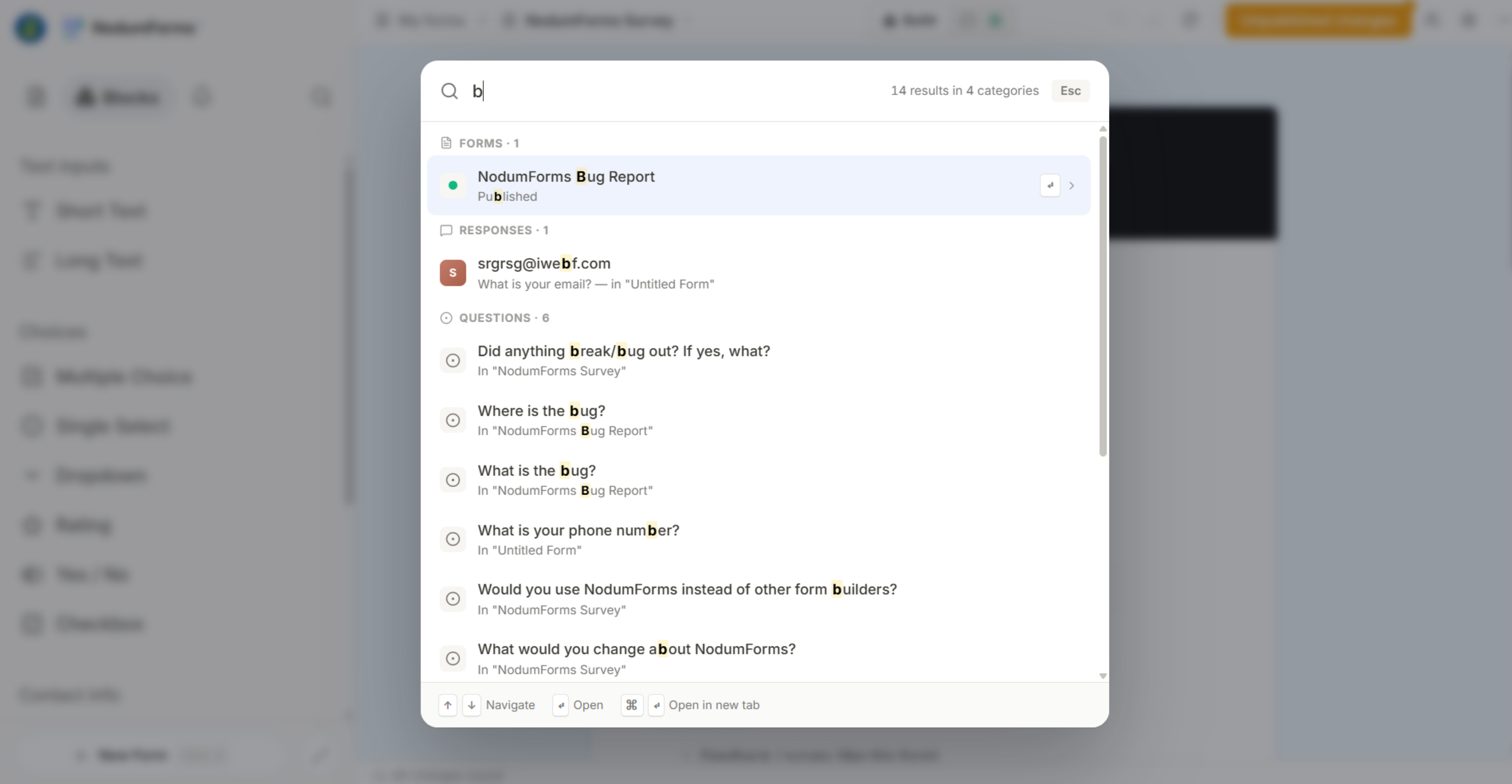
Centred ⌘K search modal open over a dimmed app background, with a query typed in and results grouped into sections — Forms, Responses, Questions, Actions — and match highlighting on each row.

Hit ⌘K from anywhere in the app and search across forms, responses, questions, and actions in one place. Full keyboard nav: ↑↓ to move, to open, ⌘↵ to open in a new tab.

Want to narrow it down? Type /forms, /responses, /questions, or /actions to filter by type.

Version history and shared Styles

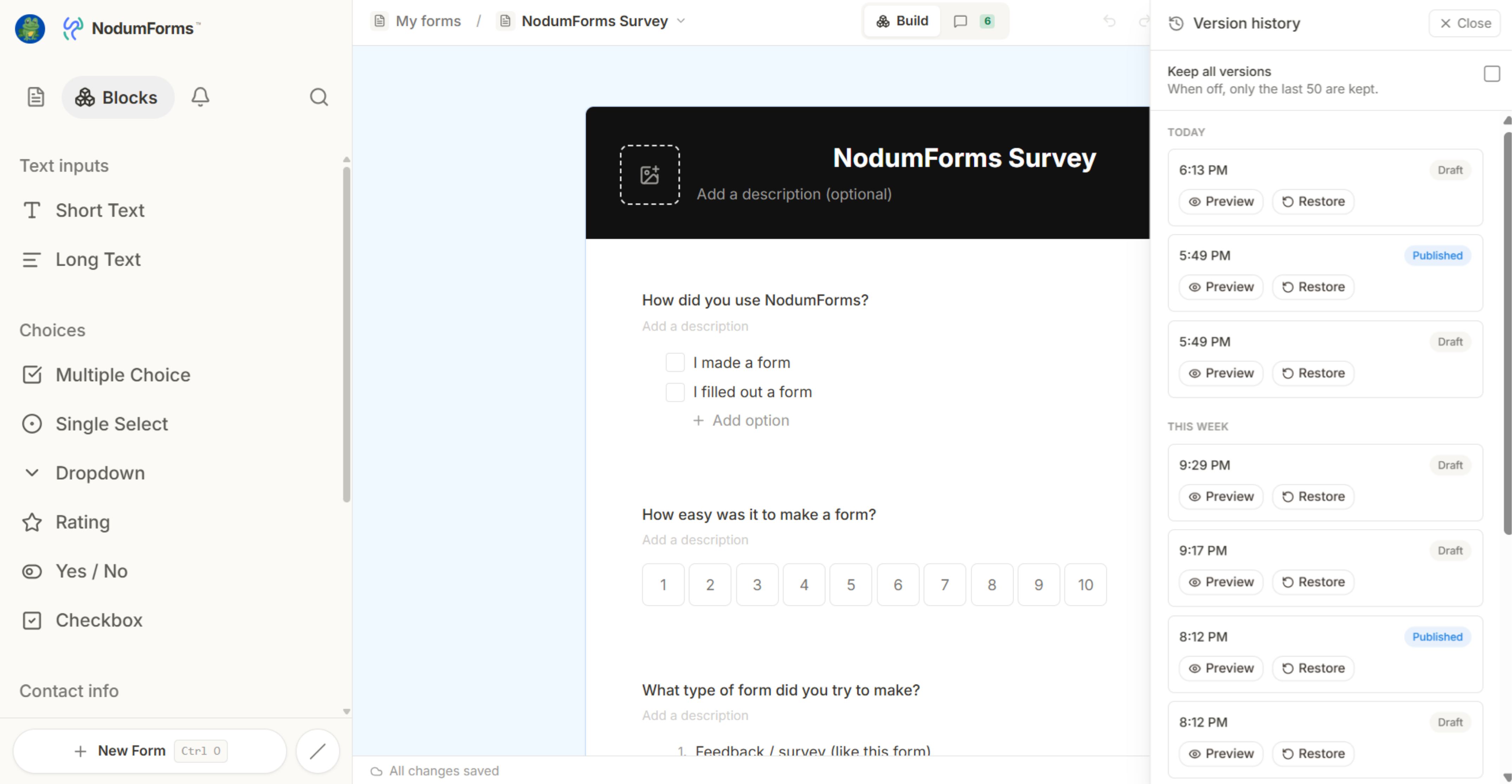
Builder with the Version History panel open on the right, showing a chronological list of snapshots with timestamps, the person who saved each one, and a Restore button on the highlighted version.
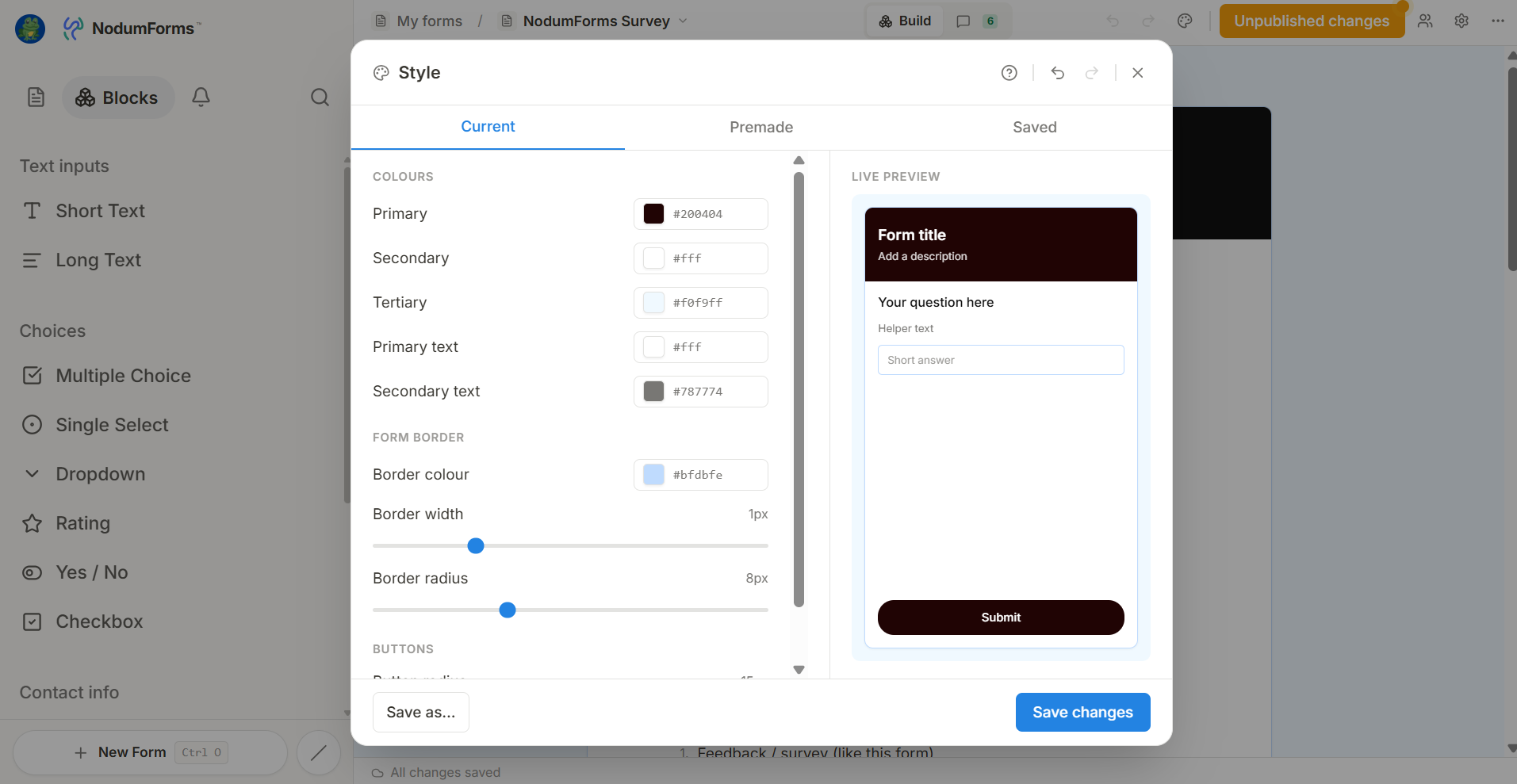
The Style modal open in the builder, showing a row of premade themes at the top and a custom palette editor below with the 5 colour swatches (primary, background, surface, text, accent) and a “Share Style” link button.

Every form now keeps a running history of snapshots. Open the Version History panel to browse past versions, preview any of them in place, and restore with one click.

Styles are new too. Pick a premade theme, build your own 5-colour palette, or save a Style and share it across forms with a public link.

New builders get a quick banner explaining how Styles work. Existing forms get a sensible default on first load.

Build forms together

Sidebar showing the Invite popover on a form, with the new “Shared with me” section visible below. The Alerts tab has an unread badge on the bell icon.

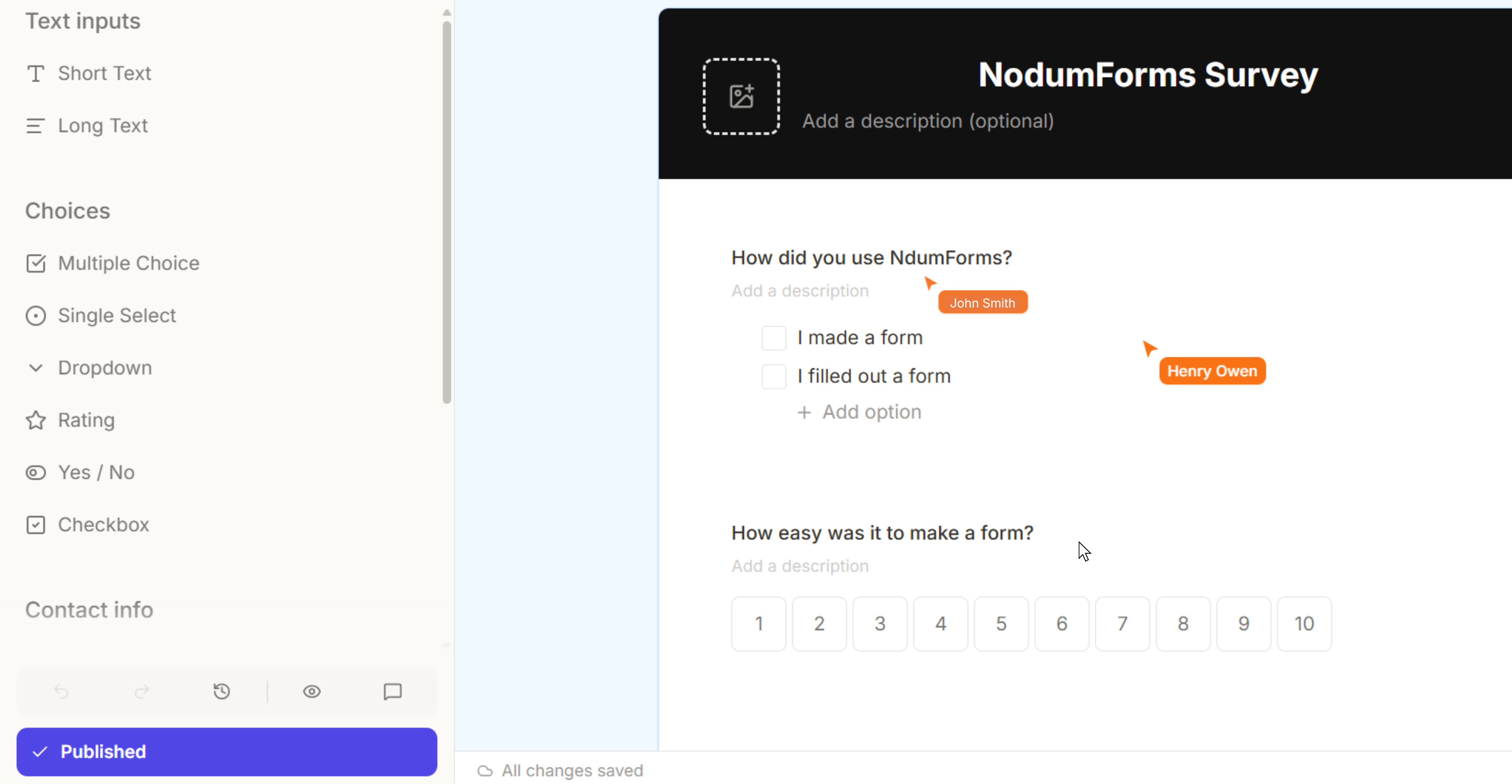
Forms are no longer a solo sport. Hover a form in the sidebar, click Invite, and send a request to anyone with a NodumForms account. Invitations arrive by email and in-app at the same time.

Shared forms show up under a new Shared with me section on the dashboard. Or generate a public edit link — anyone with the link can edit without an account.

Also new: an in-app notifications inbox. Get an alert in the Alerts tab the moment a new response comes in, with an unread badge on the bell.